

Chargers that only work when bent or held at a certain angle are a surprisingly common annoyance. This problem can interrupt your workflow, leave your devices undercharged, and even cause long-term damage to your hardware. Many people assume the issue is minor, but ignoring it can lead to full cable failure or damage to the charging port. Understanding the underlying causes and simple troubleshooting steps can save you time, money, and frustration.

Diagnose the Cable: The Most Common Cause
How Internal Wire Damage Creates “Sweet Spots”
Cables often develop internal breaks due to repeated bending or twisting, especially near the ends. When this happens, electricity only flows correctly at certain angles, creating a “sweet spot” where charging works. These micro-fractures are usually invisible, so the cable may appear normal at first glance. Over time, these small breaks can worsen, eventually preventing the cable from working at all. Regularly checking your cables for subtle signs of wear can prevent sudden failure during critical moments.
Simple Tests to Confirm a Failing Cable
To check if the cable is the culprit, gently flex it while plugged into your device and monitor the charging indicator. Move the cable slowly near the connector ends; if charging starts or stops, the wire is likely damaged. Try using the same cable on another device to confirm whether the issue is consistent. If the cable only works intermittently, replacement is usually the safest solution. Performing these tests early can help you avoid surprises when you need your device charged the most.
Inspect the Charging Port for Obstructions and Damage
How Pocket Lint and Debris Compromise Connection
Charging ports often accumulate dust, lint, or small debris, especially when devices are carried in pockets or bags. Even a small obstruction can prevent the charger from making full contact with the port. Cleaning carefully with a soft brush or compressed air can restore connectivity. Always avoid using sharp objects that could scratch or damage the contacts inside the port. Maintaining a clean port helps prolong both cable and device lifespan. Regular inspection and gentle cleaning can save you from unnecessary repairs.
Identifying a Loosened or Worn-Out Port
Repeated plugging and unplugging can loosen the charging port over time, leading to a shaky connection. A worn-out port may make the device charge only when the cable is held at a particular angle. Signs include a visible wiggle in the connector and inconsistent charging notifications. Professional repair may be necessary if the port is significantly damaged. Taking care when inserting or removing the charger can prevent accelerated wear and keep your device reliable.
When the Problem is the Power Source or Adapter
Troubleshooting Loose Outlets and USB Ports
Sometimes the issue isn’t the cable or device but the outlet or USB port itself. A loose wall socket or power strip can cause intermittent charging. Try different outlets or USB ports on another charger to rule out this possibility. Ensuring a stable and consistent power supply is a simple but often overlooked step. Proper power sources reduce unnecessary strain on your cables and devices. Checking multiple sources also helps determine whether the problem is localized to a particular spot in your home or office.
Testing with a Different Power Adapter
A faulty adapter can also mimic cable problems, showing charging only at specific angles. Swapping to another compatible adapter can confirm whether the original unit is defective. If the issue disappears, replacing the adapter is a straightforward solution. This test helps isolate the problem, saving you from replacing perfectly good cables unnecessarily. Choosing a reliable adapter ensures your device receives consistent power and avoids potential battery stress.
How Wireless Charging Solves This Problem
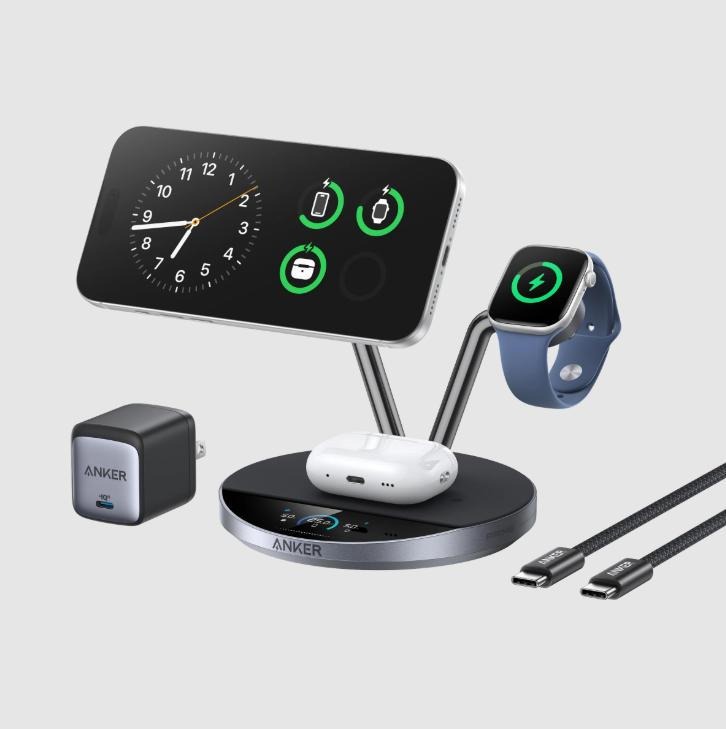
For devices that continue to experience connection issues, a wireless solution can eliminate the problem entirely. Using a wireless charger removes the physical stress from cables and ports, reducing wear and tear. For iPhone users, an Anker iphone wireless fast charger provides reliable, fast charging without the need to maneuver a cable into a precise angle. Wireless charging is especially convenient for bedside tables or desks where frequent plug-in and unplugging occur. This solution not only restores convenience but also extends the lifespan of both cables and device ports. Additionally, it minimizes the frustration of position-dependent charging, letting you pick up your device without worrying about connector placement.
Conclusion
Position-dependent charging can be caused by a variety of issues, including cable damage, port debris, or faulty adapters. Identifying the root cause with careful inspection and testing ensures the correct solution is applied. Proper maintenance, gentle handling, and occasional wireless charging can prevent future problems. By implementing these practical steps, you can restore reliable charging to your devices. Adopting simple habits today guarantees that your cables and ports will function smoothly for years to come, providing peace of mind and uninterrupted device usage.